
User Guide
Everything you need to know about charging, using, and maintaining your Strike™ rechargeable batteries and accessories.
Types of Devices
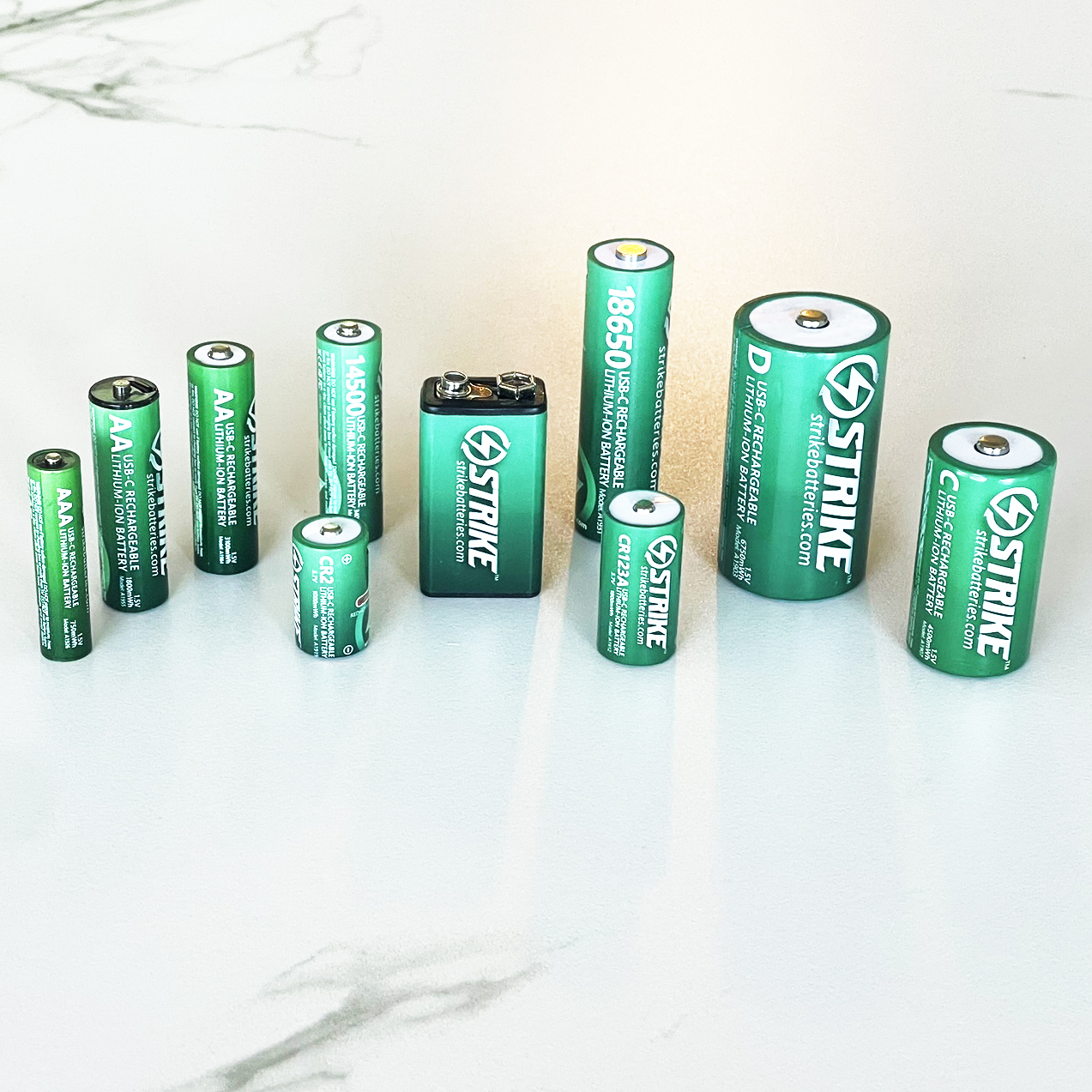
Check that the specifications of your device are compatible with Strike™ Battery specifications. Strike™ Rechargeable Batteries are compatible with most devices that require standard batteries, including high-drain devices.
There are some more sensitive devices which require a high current such as detachable camera flashes, and ultra high-beam torches. Please ensure you check the specifications of your device before purchasing.
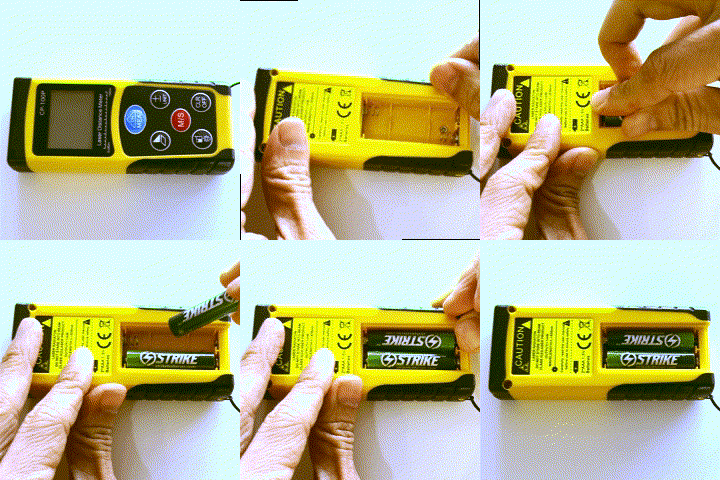
The range of devices that Strike™ Batteries can be used in is extensive, including:
How to Charge the Batteries
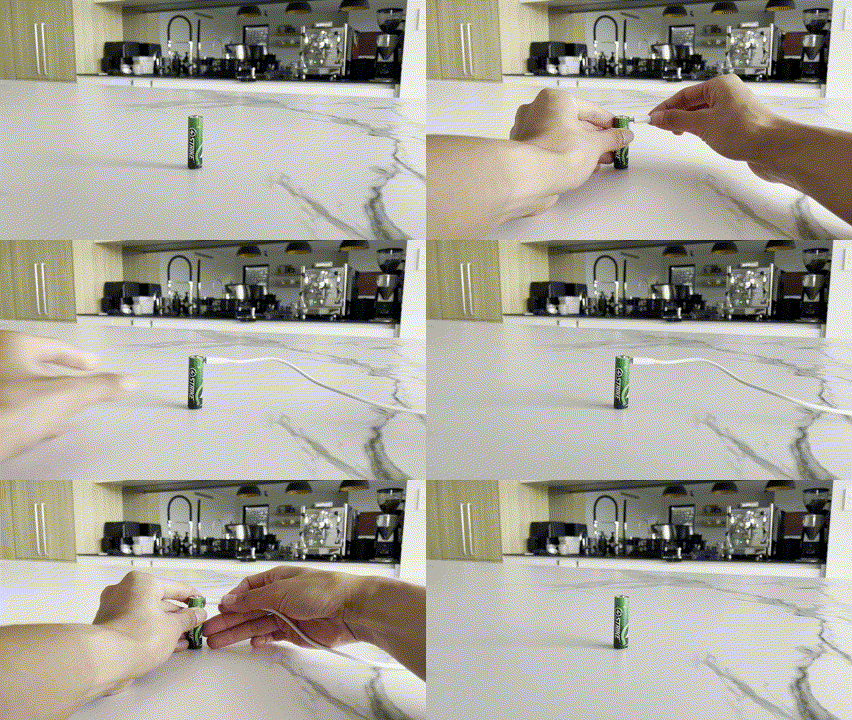
Each Strike™ Rechargeable Battery is fitted with a USB-C port on the battery body that allows you to charge the battery.
To charge, simply plug the USB-C cable directly into the port on the battery body. Plug the other end of the cable into a standard 5V power supply (marked on the power supply port or device). Most new smart phone power supplies, power banks, and USB wall outlets are able to supply the correct amount of power.
Once the LED light is solid, simply unplug the USB-C cable. You can use the supplied multi-head USB-C cable, or any other standard USB-C cable.
Charging Indicator Lights
The LED light on the battery body will FLASH whilst charging. Once the light turns SOLID, the battery is full.
Note that the LED indicator light is in a different position on the battery body depending on the model of battery.
Estimated Charging Times
Charging time varies depending on the capacity of the battery, and also the current your power supplies. Old USB outlets may be slower. See battery specs for estimated charging times.
Storage
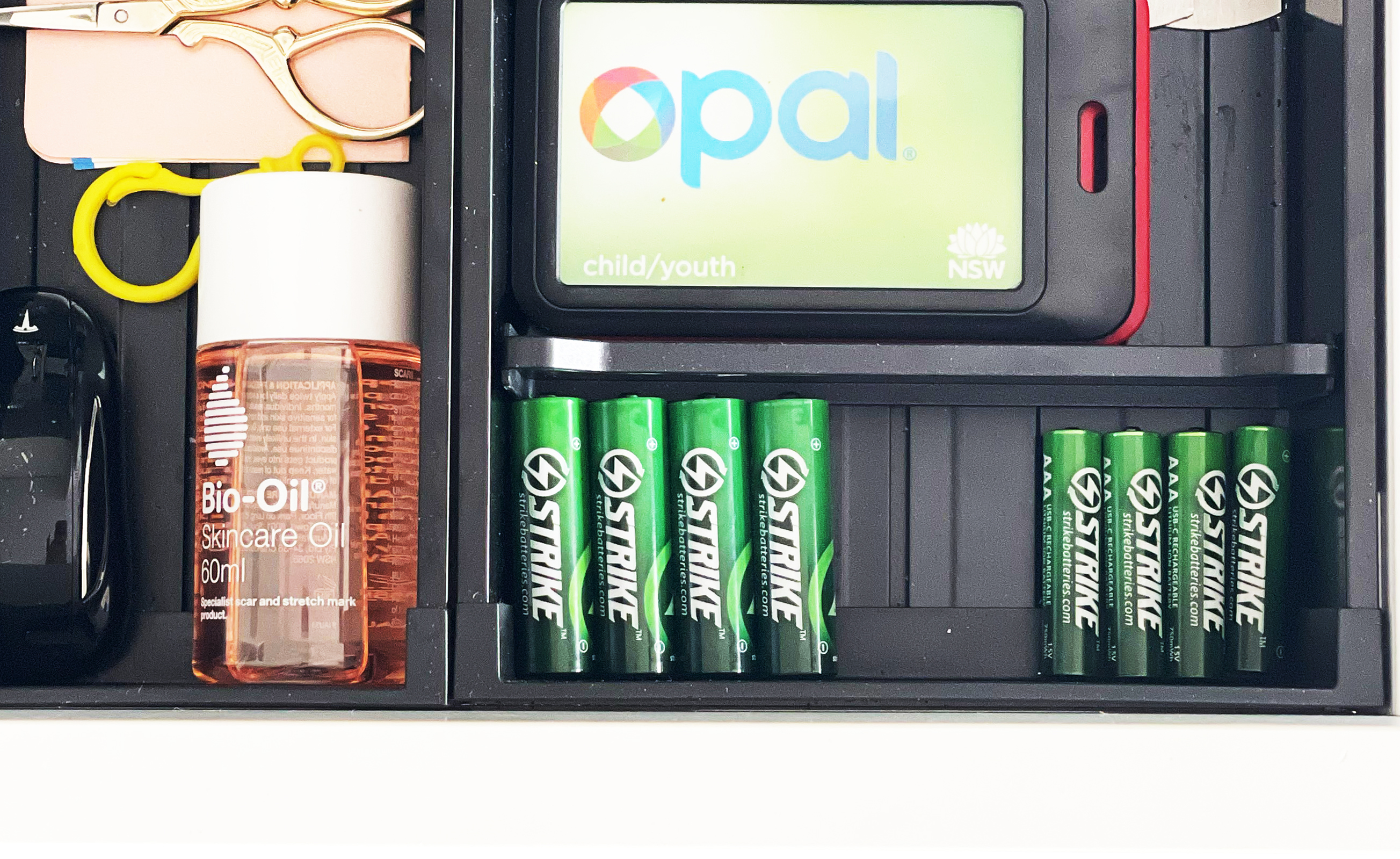
DO NOT place batteries in damp or wet locations.
DO NOT store batteries with other metal objects such as paper clips, keys, nails, screws, coins, which might cause a connection between the terminals.
Store in a dry, cool, clean cupboard away from fire, heat, moisture or direct sunlight.
Do NOTs
DO NOT use if the battery is damaged in any way.
DO NOT expose to moisture, heat, or fire.
DO NOT use batteries in the same device mixed with other battery types.
DO NOT use the batteries while they are recharging.
DO NOT plug in a USB-C cable while the batteries are installed in a device.
DO NOT connect to a NiMH battery charging box or any voltage higher than 5V.
DO NOT use the battery as a power bank power source.
DO NOT disassemble, crush, puncture, or intentionally damage the battery casing.
DO NOT allow children to play with the batteries. KEEP AWAY FROM CHILDREN.
Packaging & Battery Disposal
All Strike™ Batteries are packaged in fully recyclable material, which can be recycled in curbside bins. When the batteries come to the end of their life cycle, DO NOT dispose of them in regular rubbish.
Most major retailers have battery recycling bins in their stores. Find your nearest Australian B-Cycle recycling centre at bcycle.com.au/drop-off
Travelling with Batteries
Since Strike™ Batteries have a small capacity compared to most power banks and lithium-ion battery types, there shouldn't be any issues taking your batteries with you while you travel on planes.
Ensure the batteries are in your carry-on luggage and stored away from any metal objects. Be sure to check with your airline first if you aren't sure.
- DO NOT put batteries into check-in luggage.
- DO NOT place batteries in luggage exposed to damp, heat, direct sunlight, or with other metal objects.
Safety Warning
All Strike™ Batteries are fitted with a battery safety circuit which temporarily shuts down the battery when the operating environment is not safe. In the extremely unlikely event that the battery leaks or if the battery casing is damaged, avoid any contact with battery fluid. If battery fluid comes in contact with your skin, wash immediately with soap and water. If battery fluid comes in contact with your eyes, flush with clean water for at least 15 minutes. Seek immediate medical attention if any battery fluid comes into contact with your body.
Still Having Issues?
Complete a support enquiry and one of our friendly staff will reach out to you.
Contact Us